Webflow x HubSpot Forms – Hubform
Connect any Webflow button to open any HubSpot form. Quickly setup gated content. Free to use on .webflow domains. Get it setup in just 2 minutes!
Introduction
What is Hubform?
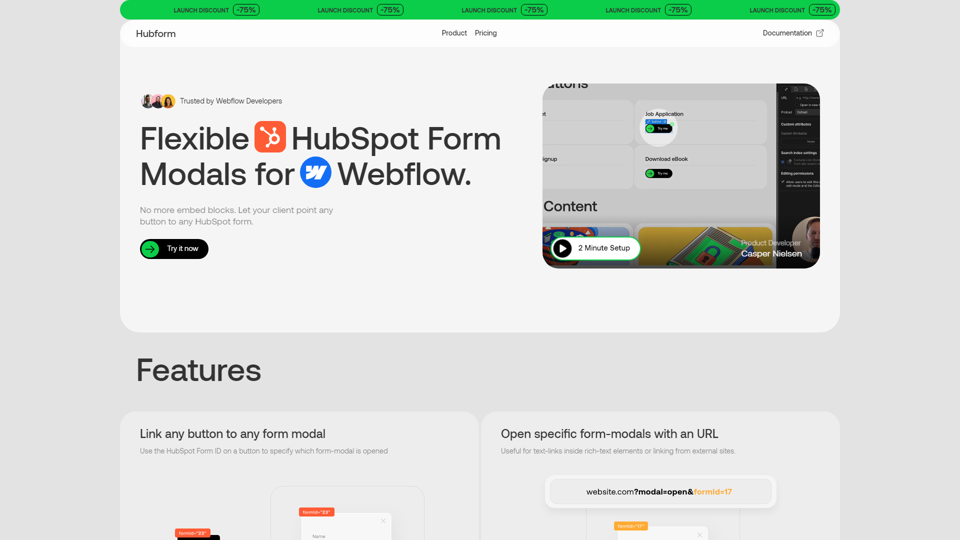
Hubform is a flexible HubSpot form modals solution for Webflow, allowing users to link any button to any HubSpot form without the need for embed blocks.
Features of Hubform
Link any button to any form modal
Use the HubSpot Form ID on a button to specify which form-modal is opened.
Open specific form-modals with an URL
Useful for text-links inside rich-text elements or linking from external sites.
Animation Presets
Customize the animation of your form modals with presets like scaleUp.
Gate your content behind any HubSpot form
Works with Webflow CMS, allowing you to gate specific CMS content like articles and whitepapers.
Remembers if you have access
After form submission, a harmless cookie is stored to ensure ongoing access for the user.
Set which forms that will grant access
Easily define which formId's that should give the users access to which content.
How to use Hubform
Hubform is easy to set up and use. Simply purchase a license, install the Webflow component, and start linking your buttons to your HubSpot forms.
Pricing of Hubform
Hubform offers a one-time purchase option with a launch discount of 75%. The pricing plans are as follows:
Webflow Staging
- All features included
- Unlimited .webflow domains
- Free
Solo / Freelancer
- All features included
- Unlimited domains
- $49 (originally $199)
Team / Agency
- All features included
- Unlimited domains
- $99 (originally $399)
Helpful Tips for Hubform
- Use Hubform to create flexible and customizable form modals that fit your Webflow design.
- Take advantage of the animation presets to create a seamless user experience.
- Use Hubform's gated content features to protect your valuable content and encourage form submissions.
Frequently Asked Questions about Hubform
What is the difference between Hubform and other HubSpot form solutions?
Hubform offers a more flexible and customizable solution for Webflow users, allowing for easy linking of buttons to forms and gated content features.
Is Hubform compatible with Webflow CMS?
Yes, Hubform works seamlessly with Webflow CMS, allowing you to gate specific CMS content like articles and whitepapers.
How do I get started with Hubform?
Simply purchase a license, install the Webflow component, and start linking your buttons to your HubSpot forms.