Notion AI | Now with Q&A
Get answers to your urgent questions, using info across your wiki, projects & docs.
| Added on : | Aug 30, 2024 |
| Monthly Visitors : | 162.3M 18.53% 18.53% |
Introduction
What is Notion AI?
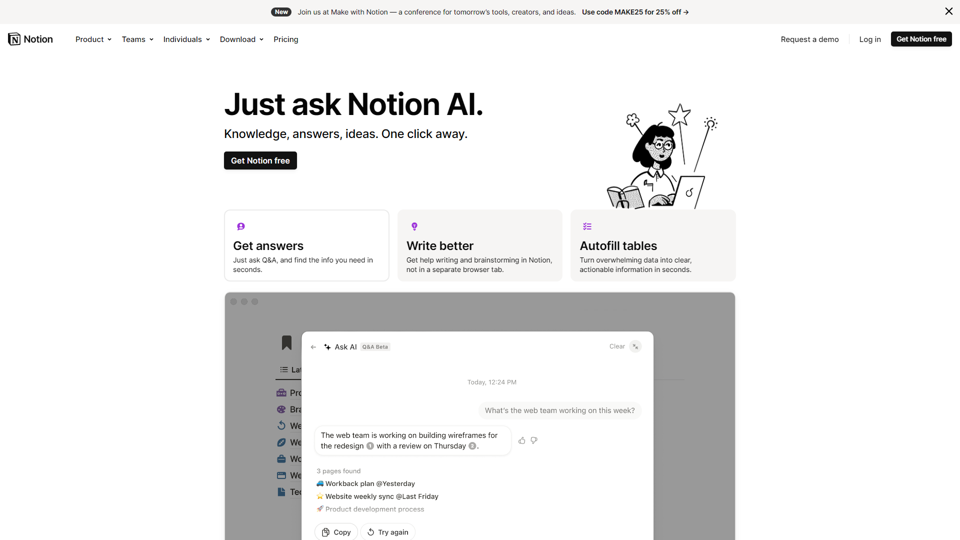
Notion AI is an integrated AI assistant that provides access to a vast array of AI technologies for various needs, including Q&A, writing, and brainstorming.
Features of Notion AI
Knowledge, answers, ideas
Notion AI provides knowledge, answers, and ideas at your fingertips, allowing you to get help with any question, write better, and brainstorm new ideas.
Autofill tables
Notion AI can turn overwhelming data into clear, actionable information in seconds, making it easier to work with large datasets.
Add-on plan
The Notion AI add-on plan is available for $8/member/month billed annually or $10/member/month billed monthly, providing unlimited access to AI features for your entire workspace.
How to use Notion AI
Get started
To get started with Notion AI, simply add the add-on to your workspace and start using AI features in your wikis, docs, and projects.
Help with writing and brainstorming
Notion AI can help with writing and brainstorming, providing suggestions and ideas to get you started.
Q&A
Notion AI's Q&A feature allows you to ask questions and get answers quickly, using information across your wikis, projects, and docs.
Pricing and Security
Pricing
The Notion AI add-on plan is available for $8/member/month billed annually or $10/member/month billed monthly.
Security
Notion AI follows strict security practices, including no training on your data, secure encryption, advanced permissions, GDPR & CCPA compliance, SOC 2 (Type 2) certification, and ISO 27001 certification.
Frequently Asked Questions
How do I activate Notion AI?
Notion AI is available to all users and can be activated by using the space bar, highlighting text and selecting "Ask AI", or via slash commands.
How is Notion AI different from other AI tools?
Notion AI is integrated across the platform, allowing for seamless collaboration and flexibility, and will continue to expand its capabilities to help with project management and team knowledge base in the future.
How does Notion AI use my data?
Notion AI follows standard data protection practices to keep your data encrypted and private, and will not use your data to train models unless you opt-in.
Is there a free trial for Notion AI?
Everyone can use Notion AI for free, with a limited number of complimentary AI responses, before purchasing the add-on subscription.
Notion AI Website Traffic Analysis
Latest traffic information
Monthly Visits | Bounce Rate | Pages Per Visit |
| 162.3M | 27.29% | 9.06 |
Visit Duration | Global Rank | Country/Region Rank |
| 00:08:51 | 181 | 243 (United States) |
Traffic Sources
| Source | Percentage |
|---|---|
| Direct | 80.87% |
| Referrals | 2.02% |
| Organic Search | 16.72% |
| ... | ... |
Top Regions
| Region | Percentage |
|---|---|
| United States | 18.53% |
| Korea, Republic of | 10.03% |
 Japan Japan | 8.54% |
| ... | ... |