Claude Watcher — stop babysitting your coding agent
A macOS menu-bar app for long Claude Code and Codex runs. Flip on Safe Carry, close the lid, walk away, and come back to a receipt: changed files, token burn, risk labels, rollback notes. Free DMG, $9 lifetime, all local.
Introduction
What is Claude Watcher?
Claude Watcher is a macOS menu-bar application designed to enhance your coding experience by allowing you to run coding agents without the need to constantly monitor them. With features like Safe Carry, it ensures that your coding tasks continue running even when you close your laptop lid. When you return, you receive a detailed receipt summarizing what your coding agent accomplished while you were away.
What are the main features of Claude Watcher?
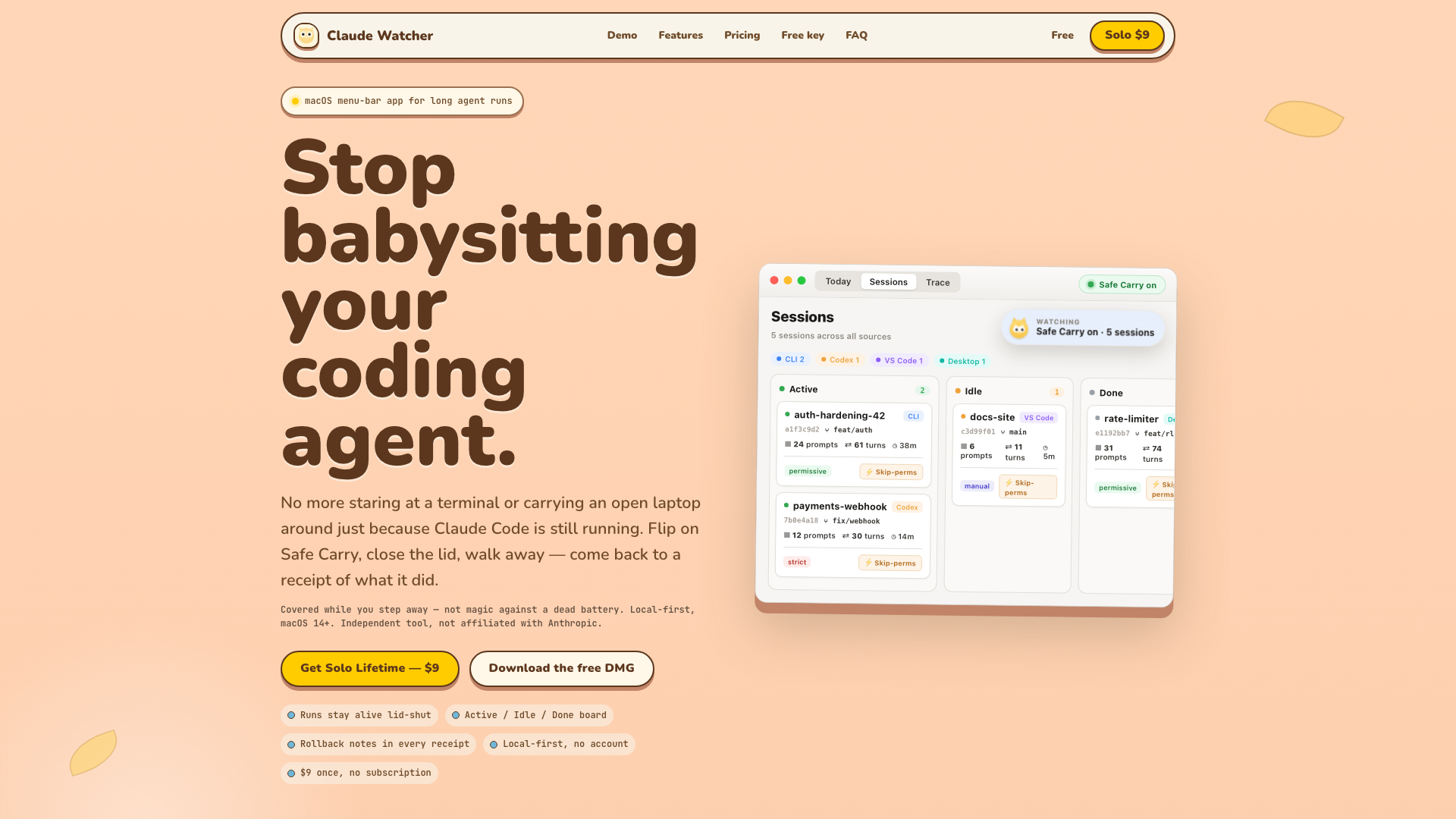
- Active/Idle/Done Board: View all your sessions at a glance, showing project details, source badges, and live metrics.
- Safe Carry: Prevents your Mac from going to sleep when the lid is closed, allowing your coding agents to keep running.
- After-Action Receipts: Get a summary of changed files, token burn, and risk labels, making it easy to audit your coding sessions.
- Rollback Notes: Know exactly which files to restore if a run goes awry.
- Local-First: Your code never leaves your Mac, ensuring privacy and security.
- One-Time Payment: Purchase a lifetime license for just $9, with no subscriptions or hidden fees.
How to use Claude Watcher?
Using Claude Watcher is straightforward:
- Start Your Run: Kick off your coding agent (Claude Code, Codex, or a shell job) as you normally would.
- Activate Safe Carry: Tap the Safe Carry feature to block closed-lid sleep, allowing your run to continue uninterrupted.
- Return to Your Receipt: When you come back, check the after-action receipt to see what changes were made, risks flagged, and files modified.
Pricing
- Free Version: Access the Active/Idle/Done board and live status for free, with 7 days of full Solo features.
- Solo Lifetime: For a one-time payment of ### $9, unlock all features including Safe Carry, after-action receipts, and local prompt coaching.
Helpful Tips
- Use Safe Carry Wisely: While it allows you to step away, remember that it won''t protect against a hard shutdown or battery failure.
- Review Receipts: Always check the after-action receipt to ensure that your coding agent performed as expected.
- Set Policies: Customize your session policies (Global, Permissive, Strict, or Manual) to control how your coding agents operate.
Frequently Asked Questions
Does my agent really keep running when I close the laptop?
Yes, Safe Carry blocks closed-lid sleep, allowing your agents to continue running. However, it won''t survive a hard shutdown or power loss.
What’s included in the after-action receipt?
The receipt includes changed files, token burn, risk labels, and rollback notes, providing a comprehensive overview of your coding session.
Which agents does it support?
Claude Watcher works with Claude Code, Codex, and long terminal/CLI agents, tracking multiple sessions across various sources.
Is my code sent anywhere?
No, everything is local-first. Your code and prompts never leave your Mac, ensuring complete privacy.
What does the Trace lens offer?
The Trace lens provides token analytics, allowing you to see input/output metrics, cache-read/write rates, and more, giving you deeper insights into your coding sessions.
Is there a subscription?
No, Claude Watcher is a one-time purchase of $9 for a lifetime license, with no subscriptions or renewal fees.