Whisper AI — Speech to text & AI voice typing Chrome extension | Whisper AI
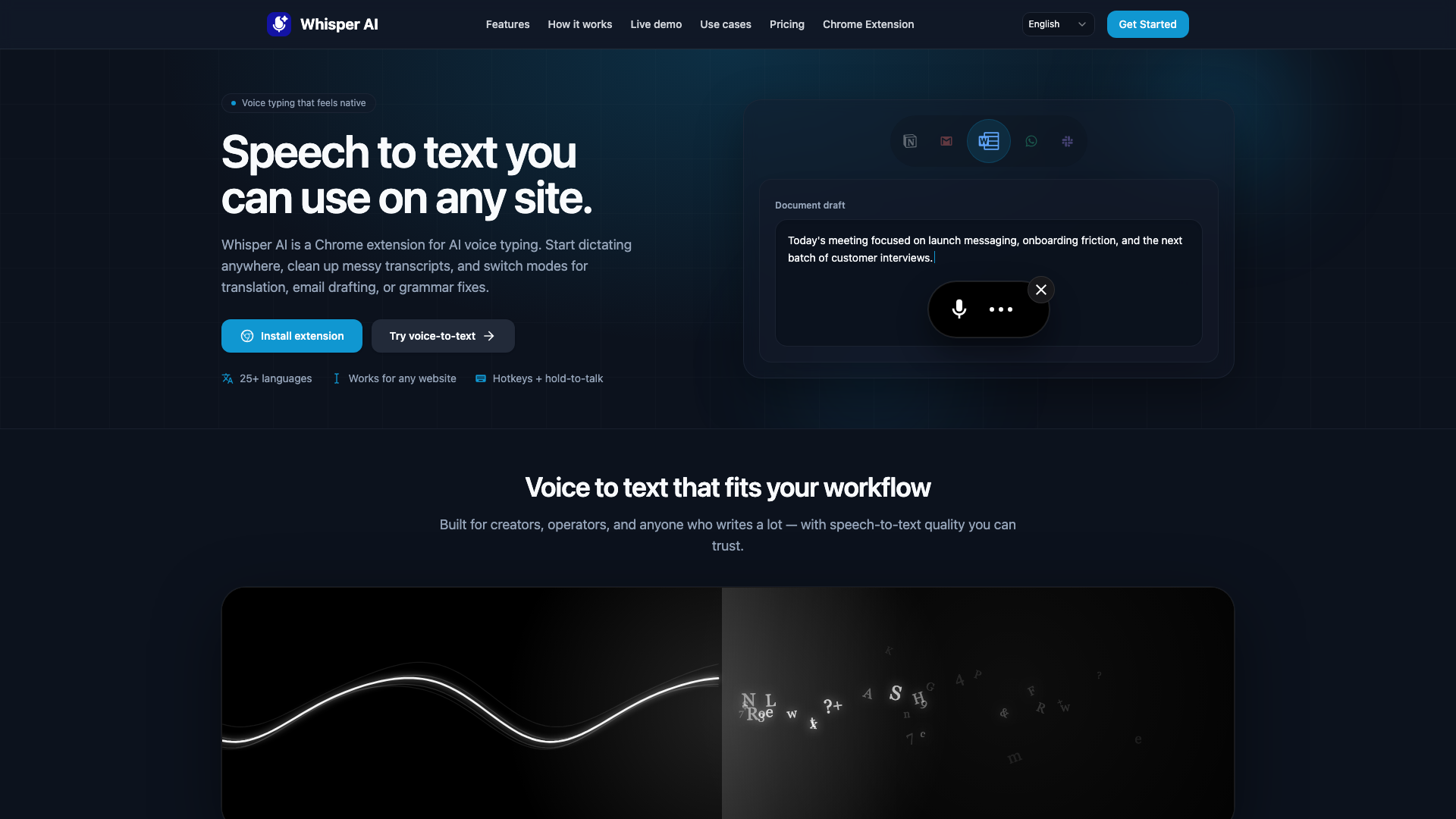
Whisper AI is a speech to text and voice to text Chrome extension for fast AI voice typing. Convert audio to text, capture transcripts and voice notes, and transcribe with smart cleanup and modes.
Introduction
Whisper AI — Speech to Text & AI Voice Typing Chrome Extension
Whisper AI is an innovative Chrome extension designed to enhance your productivity by converting speech to text seamlessly across any website. With its advanced AI voice typing capabilities, users can dictate, transcribe, and translate effortlessly, making it an essential tool for creators, professionals, and anyone who frequently engages in writing tasks.
Features
-
AI Voice Typing Anywhere
Dictate text directly into any input field across your browser without the hassle of copy-pasting. -
Smart Cleanup
Automatically corrects punctuation, removes disfluencies, and fixes obvious transcription errors while preserving the original meaning. -
Multi-Language Support
Supports over 25 languages, allowing for smooth bilingual workflows and international collaboration. -
Customizable Hotkeys
Easily toggle recording with keyboard shortcuts or use the hold-to-talk feature for hands-free dictation. -
Flexible Modes
Switch between transcription, translation, email drafting, and grammar correction with a single click. -
Site-Specific Controls
Enable or disable the extension on specific websites to maintain a predictable workflow.
How It Works
-
Install
Add the Whisper AI extension to Chrome and pin it for quick access. -
Connect
Sign in once to sync your settings across all devices. -
Talk Anywhere
Focus on an input field, click the floating microphone icon, or use your designated hotkey to start dictating.
Use Cases
-
Meeting Notes
Capture key decisions and action items during meetings without the need to type. -
Email Drafting
Use Email mode to dictate structured and professional messages quickly. -
Real-Time Translation
Dictate in one language and receive output in another, facilitating cross-border communication. -
Voice Notes
Transform spontaneous thoughts into coherent paragraphs with proper punctuation and formatting. -
Custom Mode Creation
Create a tailored prompt once and then speak naturally; Whisper AI will format and output the text according to your specifications.
Privacy & Data Security
-
Minimal Processing
Audio is processed solely for transcription and optional cleanup, ensuring your data remains private. -
Account-Safe Connection
The extension connects to your account using short-lived authorization codes and revocable API keys. -
No Prompt Leakage
Modes are enforced server-side, maintaining your privacy without exposing sensitive prompts.
FAQ
Is this a speech to text website or a Chrome extension?
Both. The primary experience is the Chrome extension, enabling voice typing on any site, complemented by a limited live demo on the homepage.
Is Whisper AI free to try?
Yes. Users can sign in with Google to receive 100 free credits, equating to approximately 17 minutes of transcription.
What languages are supported?
Whisper AI supports over 25 languages for transcription and voice notes, making it ideal for bilingual workflows.
How do hotkeys work?
You can start and stop dictation using a shortcut (default is Ctrl + Shift + L) or utilize the hold-to-talk feature by keeping the shortcut pressed while speaking.
Can I disable it on certain sites?
Yes. Users can enable or disable Whisper AI on specific sites, ensuring the floating microphone only appears where desired.
Does it change what I said?
The cleanup process corrects obvious speech-to-text errors and adds punctuation without altering the original meaning or adding new information.
Do you store my audio?
Audio is processed only to generate transcripts. Whisper AI does not sell user data or utilize it for model training.