Filter Remover: Remove Filter from Photo Online | Pokecut
Easily remove filter from photo using Pokecut's AI filter remover for free. Restore your images to their original state effortlessly.
| Added on : | Jun 30, 2025 |
| Monthly Visitors : | 150.1K 12.28% 12.28% |
Introduction
What is Pokecut?
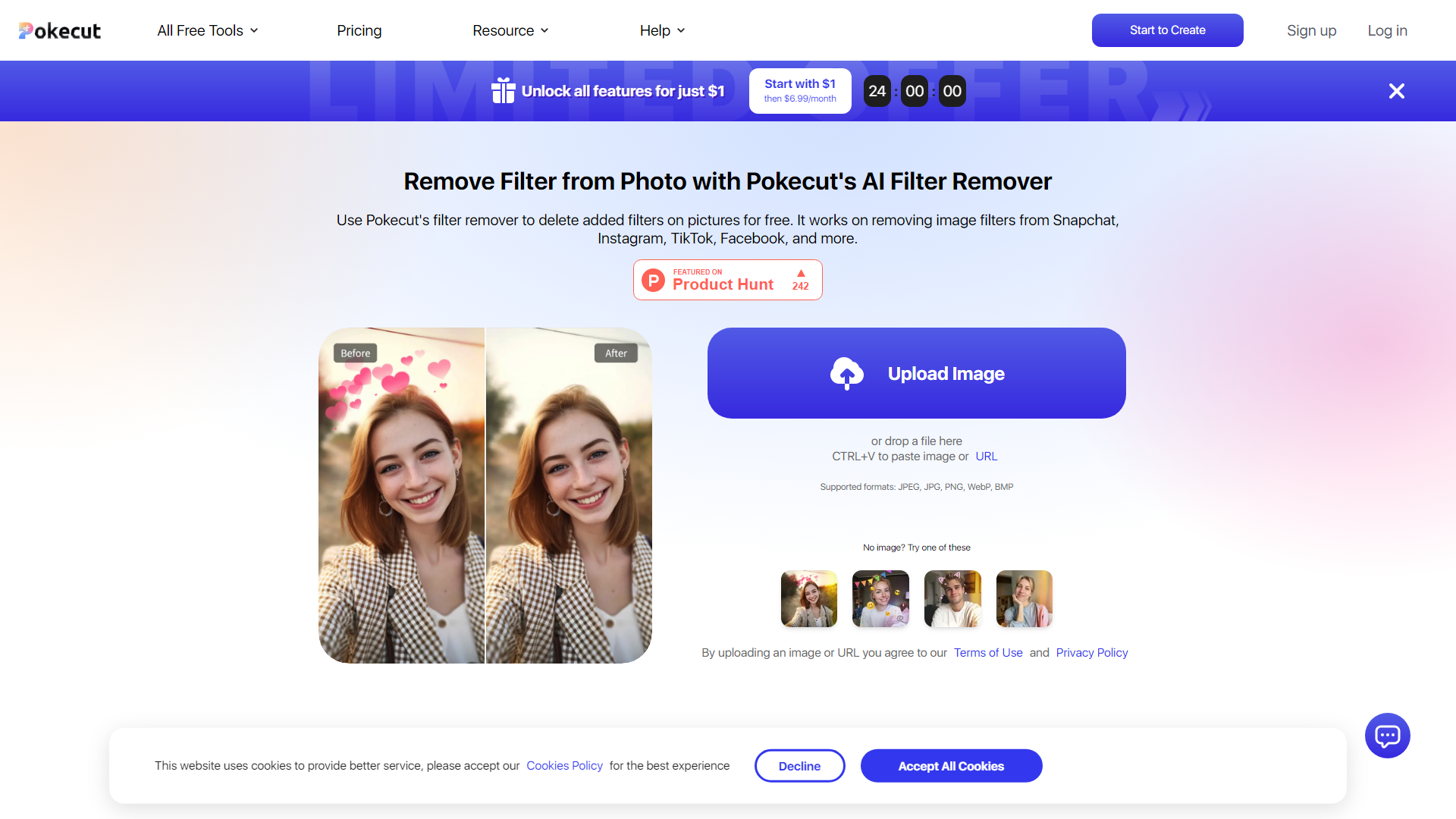
Pokecut is an innovative online platform that offers a powerful AI-driven filter remover tool designed to eliminate unwanted filters from photos. Whether your images are from Snapchat, Instagram, TikTok, or Facebook, Pokecut allows you to restore your photos to their original state effortlessly. With support for various image formats like JPEG, JPG, PNG, WebP, and BMP, it provides a seamless experience for users looking to enhance their images.
Main Features of Pokecut
- AI-Powered Filter Removal: Utilize advanced AI algorithms to detect and remove filters with precision.
- Multi-Platform Support: Easily remove filters from images uploaded from popular social media platforms.
- User-Friendly Interface: Designed for both beginners and experts, making photo editing accessible to everyone.
- No Signup Required: Use the filter remover tool without the hassle of creating an account.
- Free Daily Uses: Enjoy five free uses per day, perfect for casual users and professionals alike.
How to Use Pokecut
- Upload Your Filtered Photo: Start by uploading your image from platforms like Snapchat, Instagram, or TikTok.
- Select the Filter Area: Use the AI brush to highlight the area where the filter is applied, then click the "Remove" button.
- Download the Restored Image: Once the filter is removed, simply click "Download" to save your filter-free photo in high definition.
Pricing
Pokecut offers a free online filter remover with five daily uses. For users who require more extensive editing capabilities, affordable subscription options are available, starting at just $1 for the first month and $6.99 thereafter.
Helpful Tips
- Maximize Your Free Uses: Take advantage of the five free daily uses to explore different images and filters.
- Use Across Devices: Pokecut is compatible with desktops, smartphones, and tablets, allowing for convenient editing on the go.
- Explore Additional Tools: Beyond filter removal, Pokecut also offers tools for watermark removal, object erasing, and more.
Frequently Asked Questions
Is there an AI tool to remove filters from photos in Pokecut?
Yes, Pokecut provides an AI tool that automatically removes filters from your images, restoring the original look.
Can I remove Instagram or Snapchat filters from a photo with Pokecut?
Absolutely! Pokecut allows you to remove filters from photos taken on Instagram, Snapchat, or any other platform.
Is Pokecut's filter remover tool easy to use?
Yes, the tool is designed to be user-friendly, making it accessible for both beginners and experienced users.
Can I edit or remove filters from photos online with Pokecut?
Yes, Pokecut offers an online tool that allows you to remove filters from images without the need to download any software.
Explore the power of Pokecut today and reclaim the true essence of your photos!
Filter Remover: Remove Filter from Photo Online Website Traffic Analysis
Latest traffic information
Monthly Visits | Bounce Rate | Pages Per Visit |
| 150.1K | 43.72% | 2.89 |
Visit Duration | Global Rank | Country/Region Rank |
| 00:01:20 | 226,912 | 60,851 (India) |
Traffic Sources
| Source | Percentage |
|---|---|
| Direct | 39.9% |
| Referrals | 14.39% |
| Organic Search | 40.52% |
| ... | ... |
Top Regions
| Region | Percentage |
|---|---|
| United States | 12.28% |
 Russia Russia | 10.78% |
 India India | 8.27% |
| ... | ... |