NotebookLM Cleaner - Remove Watermarks and Clean Slides
Clean NotebookLM slides and remove watermarks from PDF exports online. Preview pages, repair the badge area, and download a cleaner file free.
Introduction
NotebookLM Cleaner - Remove Watermarks and Clean Slides
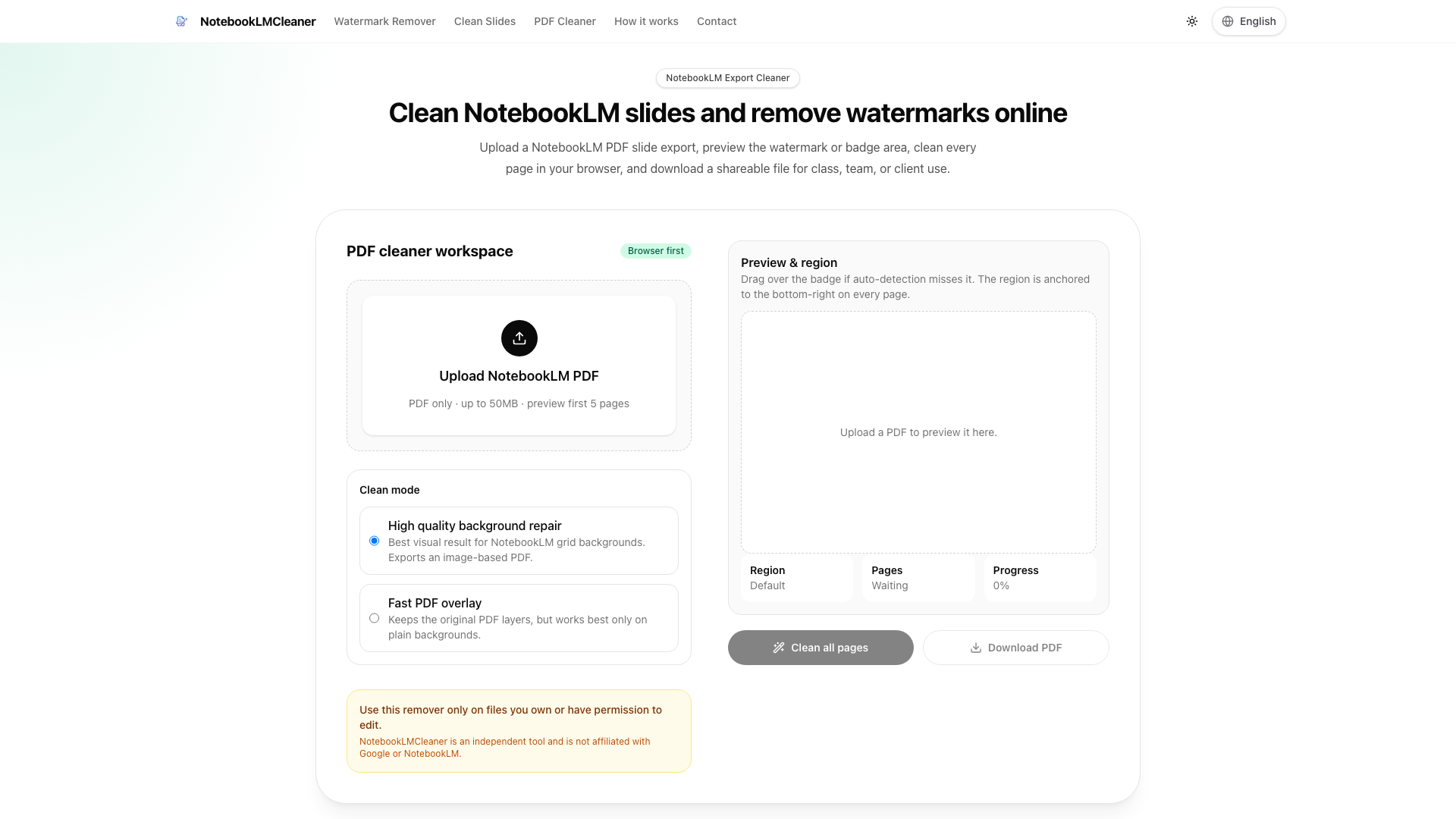
NotebookLM Cleaner is a powerful online tool designed to help users effortlessly remove watermarks and clean slides from NotebookLM PDF exports. This intuitive platform allows you to upload your PDF files, preview the watermark areas, and download a polished version ready for sharing with your class, team, or clients.
Key Features
Upload and Preview
- User-Friendly Interface: Easily upload your NotebookLM PDF slide exports (up to 50MB) and preview the first five pages to identify watermark areas.
- Auto-Detection: The tool automatically detects watermark regions, but users can also manually adjust the area if needed.
Cleaning Modes
- High-Quality Background Repair: This mode is ideal for NotebookLM grid backgrounds, ensuring the best visual results by exporting an image-based PDF.
- Fast PDF Overlay: This option retains the original PDF layers, making it suitable for plain backgrounds.
Download and Share
- Authorized Cleanup: After cleaning, users can download a shareable PDF file, ensuring that all edits comply with ownership permissions.
How It Works
- Upload the Export: Start by uploading your NotebookLM PDF slide export to the platform.
- Confirm the Badge Area: Use the auto-detection feature or manually adjust the region to confirm the watermark area.
- Repair and Download: Clean every page, preview the results, and download the final PDF.
Example Results
- Before Cleanup: View the original NotebookLM badge on your slides.
- After Cleanup: Download the cleaned result, showcasing the absence of the watermark.
FAQ
How to remove NotebookLM watermark from exports?
Upload a NotebookLM PDF export, confirm the detected watermark region, clean all pages, and download the result.
Is this a NotebookLM watermark remover for PDF?
Yes. The tool focuses on PDF slide exports, providing preview and region-based repair before download.
Can it remove watermark from NotebookLM slides?
For PDF slide decks, the cleaner targets the lower-right NotebookLM badge or watermark area across pages.
Does it work as a NotebookLM logo remover?
Yes, the workflow is designed to clean visible export marks such as badges, logos, or watermark areas.
Can it clean NotebookLM video watermark?
A separate workflow for cleaning NotebookLM video watermarks is planned, ensuring the PDF tool remains focused.
Is there a NotebookLM PPTX watermark remover?
A NotebookLM PPTX watermark remover is planned for slide decks. Only process exports you own or have permission to edit.
What about privacy and permissions?
Users are encouraged to only clean files they own or have permission to edit. The tool operates on a browser-first model, ensuring files remain local and secure.