Introduction
What is Chronicle?
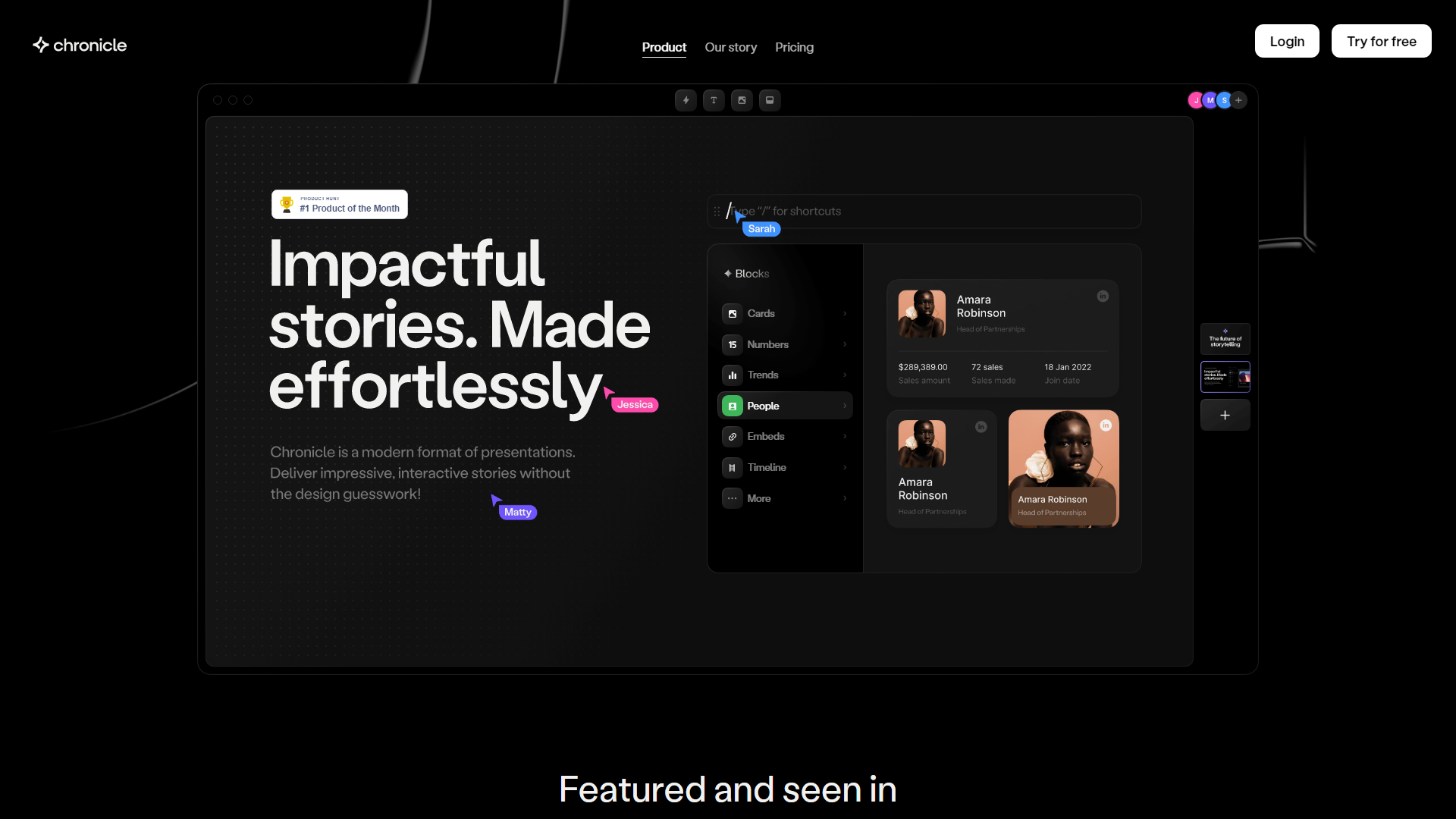
Chronicle is an innovative storytelling platform designed to revolutionize the way presentations are created and shared. With a focus on user-friendliness, Chronicle allows anyone to craft stunning presentations without the need for design skills. The platform leverages advanced AI technology to transform raw ideas into polished outputs effortlessly.
Features of Chronicle
-
Widgets for Easy Creation: Chronicle utilizes customizable widgets that come with pixel-perfect design, interactivity, and motion, enabling users to build presentations by simply dragging and dropping elements onto the canvas.
-
Seamless Embedding: Users can easily embed links to various tools, allowing Chronicle to package outputs seamlessly for a cohesive presentation experience.
-
Real-Time Collaboration: The platform supports team collaboration, enabling multiple users to craft and share stories together in real-time.
-
Mobile Optimization: Chronicle transforms presentations into bite-sized formats tailored for mobile devices, ensuring accessibility and engagement on-the-go.
-
Expert Templates: Users can start with templates created by industry experts, complete with contextual guidance to help deliver powerful stories.
How to Use Chronicle
Getting started with Chronicle is simple. Users can sign up for a free trial and begin creating presentations by selecting from a variety of widgets and templates. The intuitive interface allows for a keyboard-first experience, making it easy to navigate and utilize powerful shortcuts for efficient workflow. Users can transform their ideas into visually appealing presentations in just a few clicks.
Pricing
Chronicle is currently in public beta and offers a free trial for new users. After the trial period, users can choose from various subscription plans that cater to different needs and team sizes. Pricing details can be found on the Chronicle website.
Helpful Tips
- Explore Templates: Take advantage of the expert-designed templates to kickstart your presentations and save time.
- Utilize Widgets: Experiment with different widgets to find the best way to convey your message visually.
- Collaborate Effectively: Use the real-time collaboration feature to gather feedback and enhance your storytelling with input from team members.
Frequently Asked Questions
Can I use Chronicle for free?
Yes, Chronicle offers a free trial for users to explore its features before committing to a subscription.
Is there a mobile app for Chronicle?
While Chronicle is optimized for mobile viewing, users can access the platform through their mobile browsers for a seamless experience.
How does the collaboration feature work?
The collaboration feature allows multiple users to work on a presentation simultaneously, making it easy to share ideas and make edits in real-time.
What types of presentations can I create with Chronicle?
Chronicle is versatile and can be used to create various types of presentations, including pitch decks, marketing strategies, research findings, and more.
Is there customer support available?
Yes, Chronicle provides customer support to assist users with any questions or issues they may encounter while using the platform.
Chronicle Website Traffic Analysis
Latest traffic information
Monthly Visits | Bounce Rate | Pages Per Visit |
| 146,767 | 41.93% | 14.87 |
Visit Duration | Global Rank | Country/Region Rank |
| 00:03:45 | 128,554 | 24,321 (India) |
Traffic Sources
| Source | Percentage |
|---|---|
| Direct | 48.03% |
| Organic Search | 33.21% |
| Paid Search | 0.04% |
| ... | ... |
Top Regions
| Region | Percentage |
|---|---|
 India India | 20.31% |
 United States United States | 18.33% |
 Australia Australia | 9.97% |
| ... | ... |